Basic I
-11 %Basic II
-40 %Advance I
-40 %Advance II
-40 %The effective way to buy macOS Keyword Installs requires a well-structured 5-step preparation process before launching campaigns, including optimizing the Mac App Store listing, researching and selecting macOS-specific target keywords, choosing trusted providers, controlling delivery speed, and measuring results. In particular, macOS Keyword Installs have unique characteristics compared to iOS or Android, requiring implementation methods specifically designed for the Mac App Store ecosystem instead of applying generic mobile strategies.
To increase App Store rankings safely when you buy macOS Keyword Installs, developers need to clearly understand Apple’s policy boundaries regarding keyword installs, carefully control natural growth patterns, diversify ranking signals with organic signals, continuously monitor metrics, avoid relying entirely on keyword installs, and build maintenance strategies with natural delivery speed control principles.
To buy macOS Keyword Installs effectively, developers should follow five steps: optimize the Mac App Store listing, research and select macOS-specific target keywords, choose trusted providers, control delivery speed, and measure results.
Below is the most detailed five-step guide for developers to buy macOS Keyword Installs effectively:
Step 1: Optimize the Mac App Store Listing
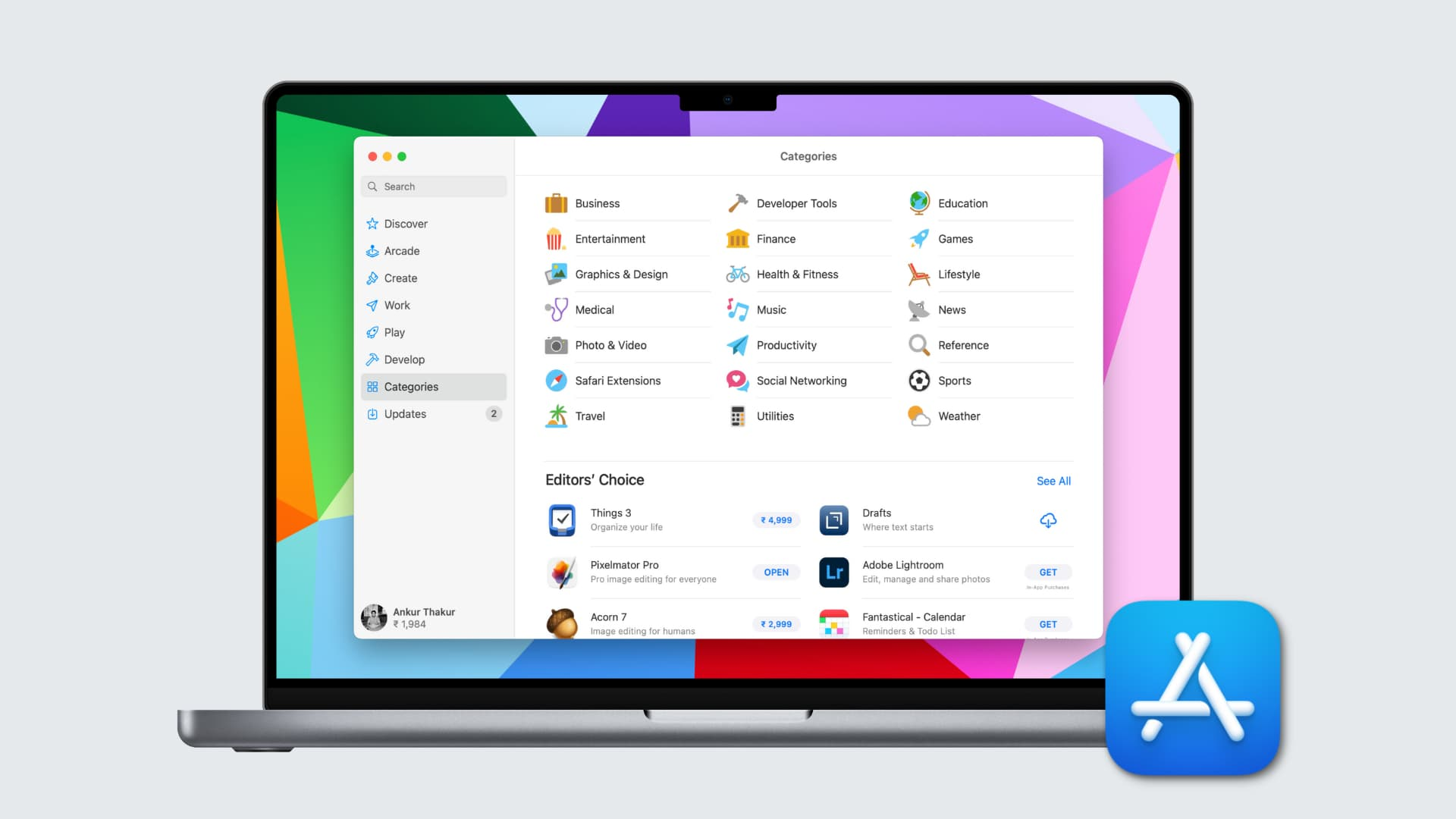
Fully optimizing the Mac App Store listing is a mandatory step that must be completed before you buy macOS Keyword Installs. The Mac App Store listing includes the title, subtitle, description, screenshots, and rating, all of which need optimization specifically for desktop users and Mac user intent.
The detailed Mac App Store listing optimization process includes:
According to AppTweak reports (2024–2025), optimizing Mac App Store listings such as screenshots, icons, and keywords can significantly improve conversion rates, often more than doubling performance compared to apps with weak product pages. This demonstrates the importance of optimizing the Mac App Store listing before launching buy macOS Keyword Installs campaigns.
Step 2: Choose Target Keywords Suitable for macOS
Keyword research for macOS differs significantly from iOS or Android because Mac users demonstrate unique search behavior. Keywords on the Mac App Store are often longer, more specific, and carry stronger professional intent.
Therefore, an effective macOS keyword research process includes: Analyzing real search volume on the Mac App Store for target keywords → Evaluating keyword difficulty based on the install quality and quantity of competitors currently ranking in the Top 3 → Identifying gaps between current rankings and target rankings → Prioritizing long-tail keywords with lower competition to achieve faster results with reasonable budgets.
Step 3: Choose a Trusted Provider
A trusted provider for buy macOS Keyword Installs must use real Mac users on real Mac devices when running campaigns. Apple’s system has become increasingly sophisticated at detecting unnatural installs. Newly created Apple ID accounts, virtual machine installs, or accounts without authentic Mac App Store history can be detected and removed quickly by Apple.
Therefore, before placing orders with any provider, developers should directly ask and request clear explanations regarding: The origin of Mac users used in campaigns and their Apple ID activity history; Mechanisms ensuring installs come from real Mac devices instead of virtual machines; Average retention rates after 24 hours and 7 days; And whether previous clients have ever experienced Apple warnings or account suspensions.
Step 4: Control Delivery Speed
macOS apps usually have significantly fewer downloads compared to equivalent iOS apps. This means the delivery speed of macOS Keyword Installs must be adjusted much lower than iOS campaigns in order to appear natural.
Most macOS applications typically receive only 5–50 installs per day depending on the category. If an app suddenly receives 300–500 installs within 24 hours, this becomes a clear red flag for Apple’s fraud detection system.
Therefore, a safe delivery curve for Keyword Installs campaigns should gradually increase by 10–15% per day during the first week, maintain stability at peak volume for 5–7 days, and then slowly decrease afterward.
When you buy macOS Keyword Installs, developers should discuss the app’s historical baseline directly with the provider and request a customized delivery curve instead of accepting default distribution speeds.
Step 5: Measure Results
After each buy macOS Keyword Installs campaign, developers should closely monitor metrics inside App Store Connect to evaluate actual performance and determine the next steps in their ASO strategy. Important metrics include: Daily keyword ranking changes for each target keyword; Organic installs growth; App page conversion rate before and after campaigns; Day 1 retention rate; Day 7 retention rate.
After understanding the process of how to buy macOS Keyword Installs effectively through professional MacOS Services, the next step developers need to learn is how to implement campaigns correctly in order to increase App Store rankings safely.
To increase App Store rankings safely when you buy macOS Keyword Installs, developers need to follow six core principles: understanding Apple’s policy boundaries regarding keyword installs, carefully controlling natural growth patterns, diversifying ranking signals through organic signals, continuously monitoring metrics, avoiding complete dependence on keyword installs, and building a maintenance strategy to sustain rankings after reaching Top positions.
Below are the six detailed safety principles for implementing buy macOS Keyword Installs campaigns effectively:
In summary, effective and safe buy macOS Keyword Installs campaigns require close coordination between structured preparation processes, providers using verified real Mac users, and comprehensive strategies supported by parallel organic signals. The five-step process and App Store ranking principles above help ensure that campaign budgets generate real value while maintaining developer account safety.
Promote Your App Now and Unlock Growth Potential with ASOLeap
Whether you're a large company or a small startup, our expert ASO services help promote your app on Google Play and the App Store at competitive, affordable prices with ASOLeap. Boost your app’s rankings and visibility, and buy app downloads, installs, ratings, and reviews by up to 50% — all through ethical, AI-powered strategies.
Promote Now – Get Free Consultation with ASOLeap!


